Intended Audience: Parents
FAQ for Parents/Guardians: Hapara Overview
What is Hapara?
We are so excited to be a part of your child's classroom. Hapara is a suite of teaching and learning tools that work alongside Google Workspace for Education.
Hapara helps students:
- Access all of their learning resources in one spot
- Build executive functioning skills
- Engage in personalized learning experiences
- Collaborate with classmates
- Make progress with consistent feedback
- Practice digital citizenship skills
Hapara also allows teachers to support students as individuals rather than a one-size-fits-all group.
Why is my Child's School Using Hapara?
By implementing the Hapara Instructional Suite, your child's school has created a great opportunity for every student.
It gives teachers a way to:
- Deliver digital lessons that give students choices
- Create personalized experiences to meet individual academic needs
- Engage and collaborate positively with students
- Provide ongoing feedback to encourage continuous learning
- Keep students safe as they learn online
In addition to the instructional benefits, Hapara assists with the requirements of the Children's Internet Protection Act (CIPA). CIPA requires that K-12 schools and libraries use internet filters and implement other measures to protect children from harmful online content as a condition to receive certain federal funding, especially E-rate funds.
Hapara provides tools that give teachers visibility into students' browsing activity during online learning. This helps teachers protect students as they navigate the internet and guide students to make responsible online choices. Your child's school may also use Hapara Filter to block harmful or inappropriate online content during learning.
Why does my Child's Teacher use Highlights?
Highlights gives teachers visibility into students’ online activity during learning. This helps teachers identify the progress and challenges of the learning process. As a result, teachers can then personalize learning for each student.
For example, teachers can instantly share websites with students to help them with research or guide them when an activity requires the full attention of a student. Teachers can also send messages to students to encourage them or help them redirect to their learning path.
Most importantly, Highlights helps teachers protect your child when learning online and teaches students how to remain safe in digital environments. Additionally, Highlights helps meet the C requirement that K-12 schools and libraries use internet filters and implement other measures to protect children from harmful online content.
When and How Often is Highlights Used?
Hapara Highlights is a tool strictly for teaching and learning purposes and is ethically managed. Student privacy is of the utmost importance. Hāpara’s policy on Highlights is that it is used during instructional hours.
How Will I Know When Highlights is Being Used?
The Highlights extension icon is in the top right-hand corner of the Google Chrome browser. It will display in color rather than gray when your child's teacher has started a Highlights session. This means your child's teacher may be monitoring students' Chrome browsing activity.
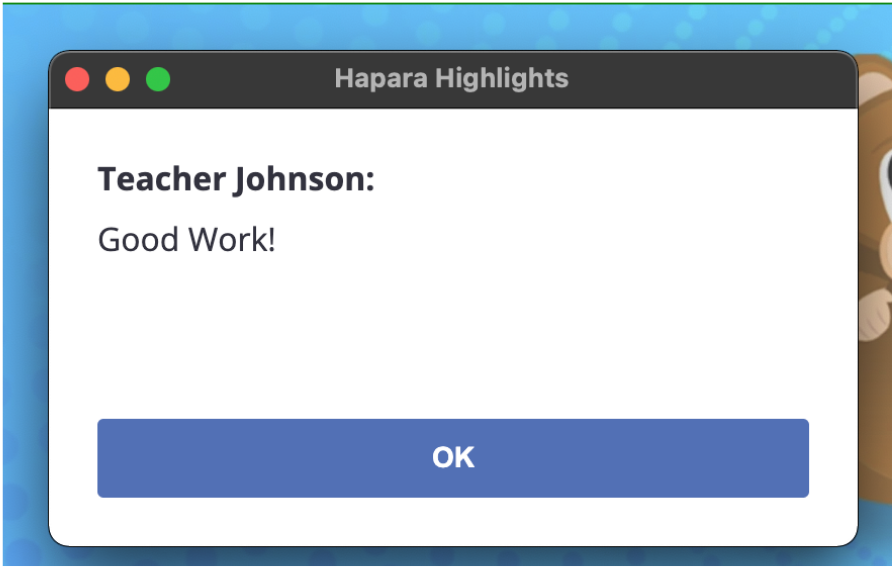
In addition to the Highlights extension icon changing color, messages from your child’s teacher may appear as a pop-up in the browser. Messages are only sent from the teacher to students, so once a message is read, the student can close that message.
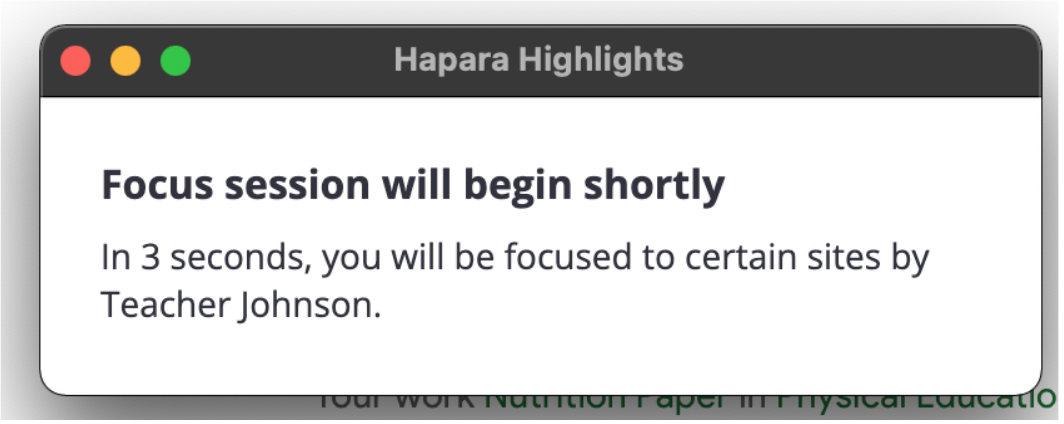
The teacher may also share websites with students. Websites will automatically open in your child’s browser window. Occasionally, teachers may use a focus session to share resources with students. In this case, only the websites shared by the teacher will appear on your child’s device for the time period set. At the end of the time period, their device will return to the pre-focus session state.
My Child is Participating in Distance Learning. The Teacher Reports that Hapara Highlights is not working on my Child's Device. How can I help the Teacher Troubleshoot?
Your child's teacher will be thrilled if you help troubleshoot! To learn how to perform a Highlights student diagnostic check, review Why Students Appear 'Offline" in Highlights.
Does my Child's School or Hapara Select the Settings in Hapara?
Individual schools/districts select the settings for Hapara use at their school. Hapara sets recommended guidelines to assist schools with educational best practices. One example is the Hapara Ethical Monitoring Policy.
How is my Child's Personal Information Protected?
Hapara is a company founded by educators, and the interests of students are always at the forefront of any decision that's made. Student privacy and safety are of extreme importance to Hapara. No student data is ever sold. You can learn more about how student information is protected by visiting the Privacy Toolkit.
Does Hapara Allow In-App Purchases?
No, Hapara does not allow in-app purchases for students, teachers, or any other educator who uses its tools.
Is Hapara Highlights Spyware?
Spyware is software that installs itself on a computer without the knowledge of the person whose computer it has been installed on. Spyware then covertly sends information to its creator.
Highlights is not spyware. It is an extension that school officials install on the Chrome browsers of student computers. It allows teachers to see students' online activity while they're using their school-issued Google accounts.
Highlights does not function unless a student is logged into the Chrome browser through a school-issued account. Schools generally filter or monitor all internet activity of students, teachers, and administrators. This is outlined in schools' acceptable use policies, which students sign at the beginning of each school year. Highlights surfaces that activity to teachers for instructional purposes.
Please follow the link below to view the Hapara FAQ for Parents/Guardians: Hapara Overview Article
Hapara: FAQ for Parents/Guardians: Hapara Overview
Please follow the link below to view the Hapara FAQ for Parents/Guardians: Hapara Highlights Article
Hapara: FAQ for Parents/Guardians: Hapara Highlights
Please follow the link below to view the Hapara FAQ for Parents/Guardians: Settings and Privacy Article